



You know that moment when everything’s running smooth: deals closing, emails flying, everything’s clicking and then the office move creeps up? Suddenly, networks drop, phones go silent, and everyone’s staring at loading screens. Clients emailing: “Hey, what’s up?” One rough day, and you’re bleeding cash.
We’ve witnessed this firsthand countless times here in NYC. A botched network office move doesn’t just mess with your day; it hits the bottom line hard.
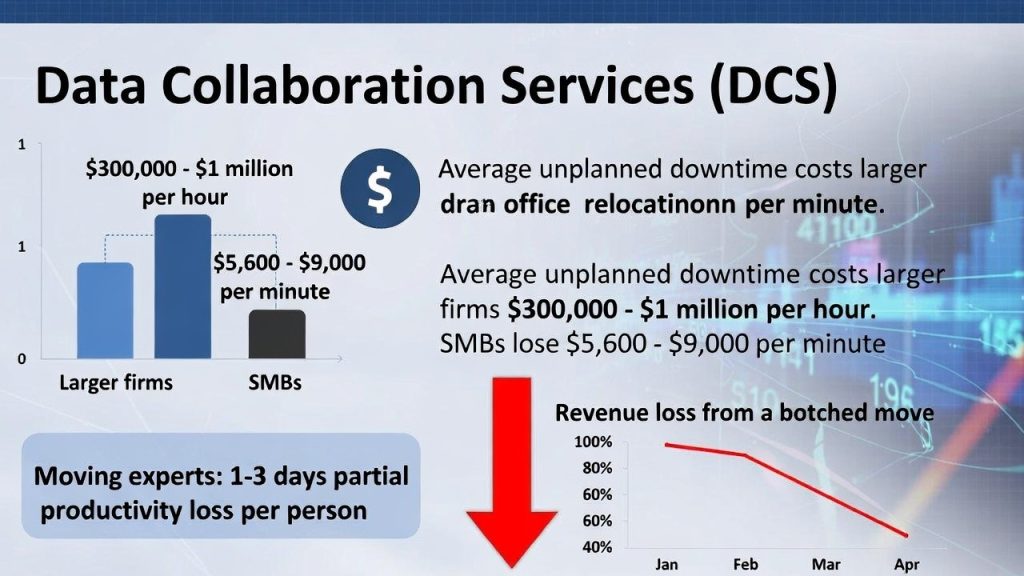
Sound familiar? You’re not alone. Downtime during office relocations costs businesses big. Gartner and ITIC reports average unplanned downtime at $300,000-$1 million per hour for larger firms, while SMBs face $5,600-$9,000 per minute. Add employee productivity dips (1-3 days partial loss per person, per moving experts), and a botched move can tank revenue quickly.
At Data Collaboration Services (DCS), we’ve helped tons of companies including those in NYC and nationwide, pull off seamless office relocations without the headaches. Whether it’s outgrowing your spot, chasing better rent, or shifting to hybrid, smart office relocation logistics keep your IT network relocation on track and minimize office move disruption. This is an ultimate office move checklist that we’ve refined from real moves. No fluff, just what works.
Why Network Office Moves Disrupt Businesses and How to Spot Your Triggers
Most disruptions happen because IT gets treated like an afterthought. Folks focus on furniture and boxes, then scramble when cables don’t match or internet cuts over late. According to a study, about 80% of businesses hit major IT snags during relocations, think unlabeled gear turning setup into a nightmare, ISP transfers dragging on for days, or backups that looked good but flop when tested.
The fallout? Beyond the dollars, it erodes trust with clients and leads to burned-out teams. And get most importantly, moves create temporary vulnerabilities that bad actors love exploiting through phishing or weak spots.
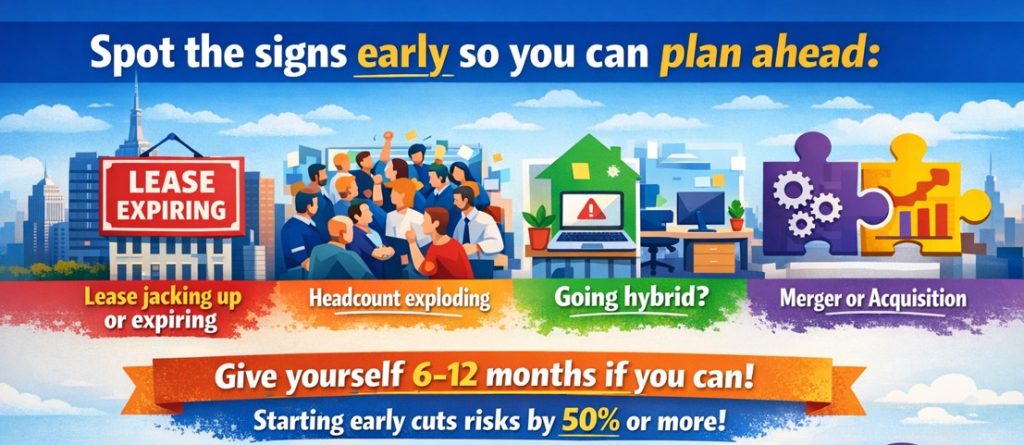
Spot the signs early so you can plan ahead:
- Lease jacking up or expiring (classic NYC problem).
- Headcount exploding, needing more space.
- Going hybrid and wanting a setup that actually supports it.
- Merger or acquisition mixing systems.
Give yourself 6-12 months if you can. Starting early cuts risks to a great extent, some pros say by 50% or more.
We had a finance client in midtown who nearly lost a full trading day to downtime. Cost? Easily five figures. We stepped in with phased planning, and they avoided it all.
Step-by-Step Logistics Planning: Your 90-Day Roadmap
Good office relocation logistics aren’t rocket science, but they need structure. Here’s a practical 90-day roadmap we’ve used successfully (adjust for bigger scales, obviously).
90-60 Days Out: Lay the Groundwork
- Put together your core team. IT lead, facilities, HR, and maybe an outside partner.
- Nail the budget. Movers can cost anywhere from $5,000 to $50,000, depending on the size of the move, plus IT upgrades and a buffer for surprises.
- Scout the new space thoroughly. Check power outlets, cabling infrastructure, cooling for any server rooms.
- Inventory it all. Every piece of hardware, software licenses, what’s cloud-based versus on-prem.
60-30 Days Out: Ramp Up Prep
- Loop in vendors early: Internet provider, VoIP, security systems. Lock in transfer dates.
- Sketch floor plans: Where desks go, server spots, Wi-Fi access points for solid coverage.
- Grab extras: Cables, temporary “swing” gear like portable routers or hotspots.
- Keep everyone in the loop: Weekly updates so no one’s surprised.
30-7 Days Out: Lock It Down
- Run full backups and test restores multiple times.
- Label everything: Color-code cables, tag equipment (saves hours on the other end).
- Pack in phases: Start with stuff you rarely use.
- Build contingencies: What if the mover’s late? Weekend fallback?
This timeline can slash disruptions by 70% based on checklists from moving pros.
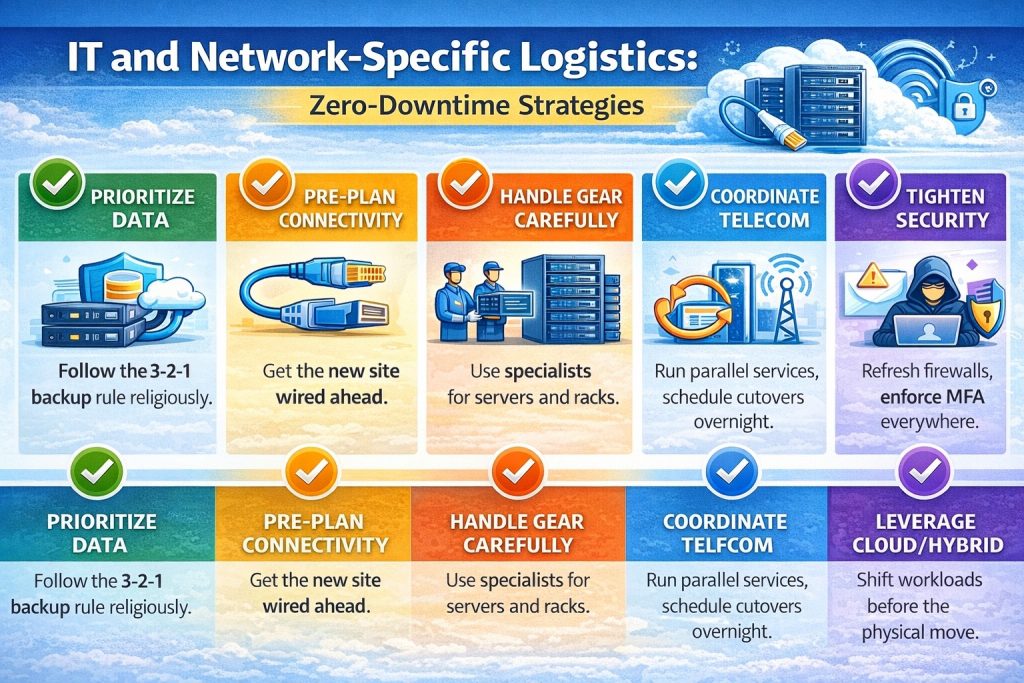
IT and Network-Specific Logistics: Zero-Downtime Strategies
This is where most moves fall apart, the IT network relocation. Get it wrong, and you’re offline for days. Get it right, and folks barely notice.
Here’s what we’ve learned works for near-zero downtime:
- Prioritize data: Follow the 3-2-1 backup rule religiously, with cloud sync for quick access anywhere.
- Pre-plan connectivity: Get the new site wired ahead. Set up backup internet like bonded lines or mobile hotspots.
- Handle gear carefully: Use specialists for servers and racks. Anti-static wrapping, climate-controlled transport.
- Coordinate telecom: Run parallel services, if possible. Schedule cutovers overnight.
- Leverage cloud/hybrid: Shift workloads before the physical move for automatic failover.
- Tighten security: Refresh firewall rules, enforce MFA everywhere, watch for phishing spikes during the hustle.
Create a “swing environment”, temporary mirrored systems that bridge the gap. We’ve pulled this off for clients where Monday morning, everything’s up and running like nothing happened.
Execution Day Checklists
Moving day can feel chaotic, but checklists keep it sane.
For COOs:
- Do final walk-throughs at both sites.
- Be the point person for vendors on-site.
- Have a live status tracker (simple shared doc works).
- Plan comms for delays or wins, keep leadership and staff posted.
For Office Managers/IT Folks:
- Double-check labels and tracking.
- Prioritize rollout: Get internet and core systems live first.
- Set up a quick-help station for little issues.
- Track assets with apps or barcodes.
Best bet? Schedule for a weekend or overnight. Team clocks out Friday in the old spot, shows up Monday ready to roll.
Post-Move Optimization and Lessons Learned
Don’t stop at go-live. Week one: Test everything: network speeds, printers, apps. Survey the team for feedback.
Hold a quick debrief: What went smooth? What sucked? Update your overall DR plan with the insights.
Longer term, a better layout can boost productivity 10-20%. It’s worth tweaking.
Don’t Let Your Next Office Move Turn into Downtime Drama
Office relocation logistics can be a pain, but with early planning, sharp IT focus, and the right help, you minimize office move disruption and come out stronger.
At DCS, we specialize in network office moves, providing full planning, execution, and post-move support.
Ready to chat about your network move needs? Book a free IT assessment for your move. We’ll spot gaps and keep things running.
Call (800) 922-7994 or drop us a note here.